- PanoBot in action : AVI film (300KB)
- Download the
 source
file. You can modify some parameters to fit your needs
: NumberOfPhotos is the number of shots per turn, PhotoSavingTime
controls the time needed by the camera to store an image
(it should be increased a lot if you use the Hi TIF mode)
and InitialWait is the time to wait before shooting the
first photos. You can store different setups in the 5 programs
of the RCX...
source
file. You can modify some parameters to fit your needs
: NumberOfPhotos is the number of shots per turn, PhotoSavingTime
controls the time needed by the camera to store an image
(it should be increased a lot if you use the Hi TIF mode)
and InitialWait is the time to wait before shooting the
first photos. You can store different setups in the 5 programs
of the RCX...
- See step-by-step instructions
1.Base
2.Sides
3.Shutter release & top
4.Final assembly
- Download the LeoCAD design
file.
- Samples panoramas shot with PanoBot :
- Photo Gallery
PanoBot
: a robotized panoramic head
|
I was very surprised - and happy
! - Thanks to all who voted for PanoBot ! |

November 2001 update: Markus Matern built a similar Panobot for Coolpix 995. See his PanoBot995... and have a look to his clever Lego Mindstorms constructions. |
It suddenly happened to me that I could conciliate two of my
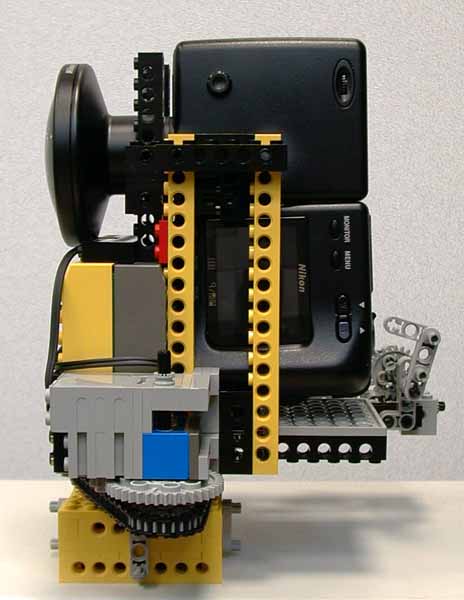
hobbies, Legos and panoramic photography. The result is PanoBot,
a programmable, automatic panoramic head for my Coolpix with
fisheye... Controlled by the Lego
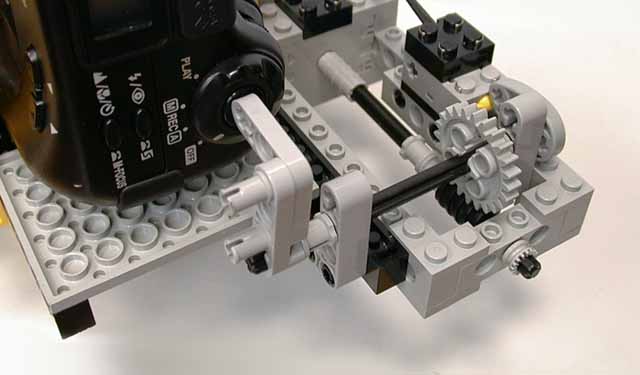
MindStorms RCX, it shoots a photo (pressing Coolpix shutter
with a cam actionned by a motor), then rotates 1/2 or 1/3 turn
and repeat the process until the full panorama is recorded.
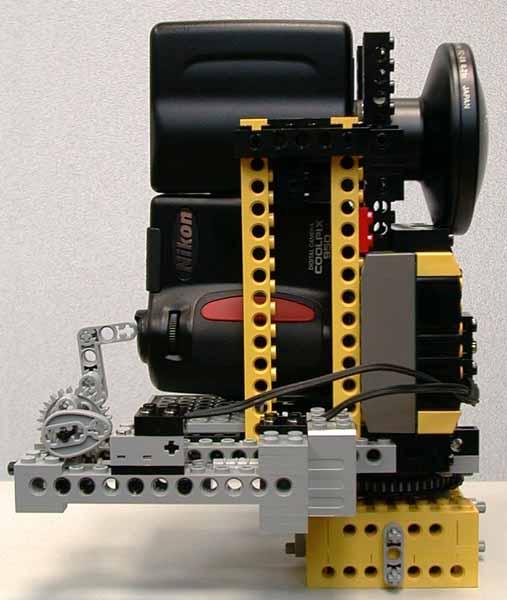
The RCX and the motors are placed in front to equilibrate the weight of the Nikon Coolpix. I was not able to make it turn around the nodal point though : PanoBot would fall back. It is close enough to enable indoor panorama shooting with acceptable quality (see the examples below). It is stable enough on its base to be able to shoot a panorama simply lying on a table. This can lead to original photographs during family gatherings... Alternatively, the base contains a tripod mount screw.
The Coolpix simply lays between two poles and is maintained by the fisheye adaptor. Despite its toy heritage, this panoramic head is quite sturdy and I entrust it with my camera without a pinch in the heart.
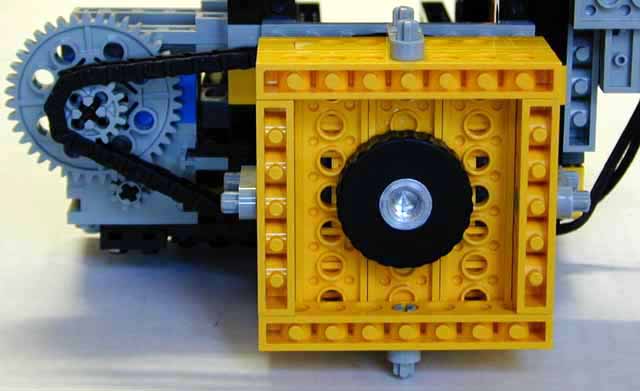
The rotation angle is monitored by a MindStorms rotation sensor, the gear ratio yields 56 steps/turn. A touch sensor pressed by a second cam informs the RCX that the shutter has been pressed.
See also PanoBot2, a new version that can be built with only the Lego Mindstorms Robotics Invention System 1.5.
My bathroom, showing Panobot reflected in the mirrors (3 photos panorama) Heavy compression, low quality, about 140KB/file |
Download the original images and Panorama Tools script file Download/see the Jpeg panorama file |
||
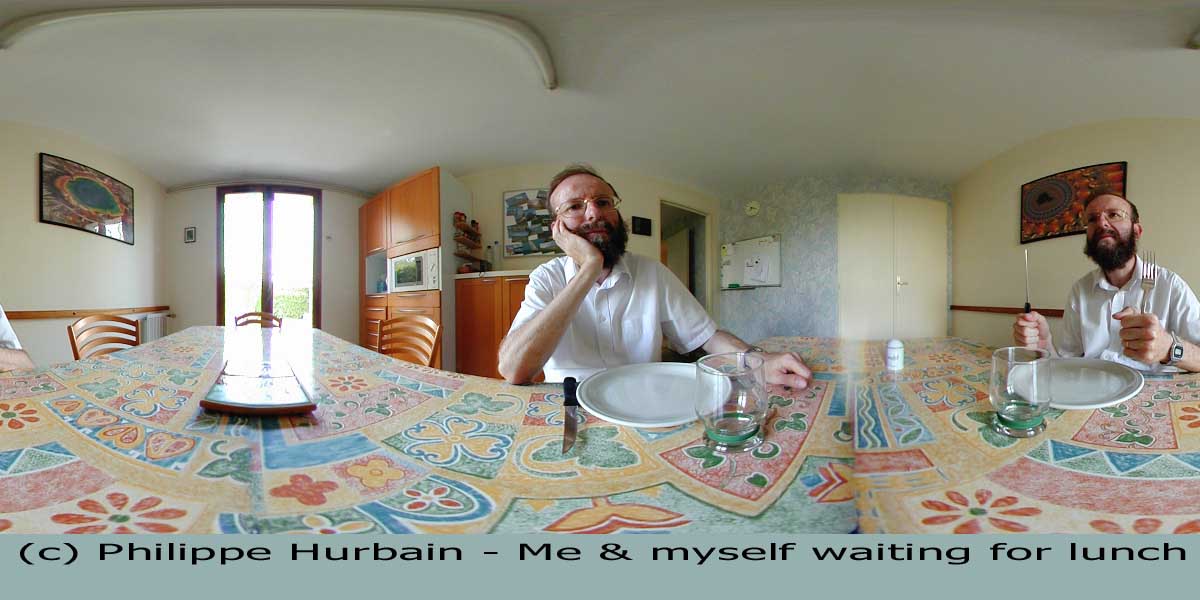
Me and myself waiting for lunch... (2 photos panorama) Heavy compression, low quality, about 80KB/file |
Download the original images and Panorama Tools script file Download/see the Jpeg panorama file |