







- V1.0: Initial release
- V1.1: July 2008
- Corrected a bug that sometimes created an extraneous - and wrong - conditional line.
- Improved output format
- Added -b bias parameter
- V1.2: July 2008: Corrected a bug that allowed concave quads to be generated
- V1.3: July 2011:
- Added a new algorithm that generally gives better results. The old algorithm is still available through -s option.
- Limit angle for conversion to quad is now closer to 1°.
- Prepare the input LDraw files. Coverer uses only lines of input files (line type 2). Other LDraw line types are ignored. If you want to compute surface between edge primitives, they must be inlined down to lines. LDDesignPad does this very conveniently.
- Launch a command prompt
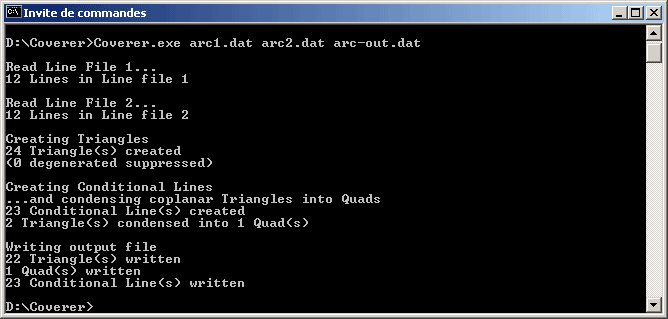
- Type the command line: coverer [-r] [-s] [-l <length>] [-b <bias>]LdrawLineFile1 LdrawLineFile2 LdrawSurfaceFileOut. Coverer will create LdrawSurfaceFileOut, containing the surface. Note that if file LdrawSurfaceFileOut exists it will be overwritten without warning. -s, -b, -r and -l are optional parameters controlling the behavior of Coverer. These options will be detailed below.
- Coverer output file with 6 digits after decimal point, this precision is excessive for most usages and values should be rounded. Here again, LDDesignPad does that very well.
- Both input files are read and parsed. All line apexes are stored in arrays (limited to 2000 lines, should be more than enough!).
- These arrays are sorted, allowing to use LDraw files with lines in non-consecutive order (e.g. files coming from Isecalc). If more than one line path is found, a warning is issued as this probably denotes a wrong input files, and will likely produce a buggy result.
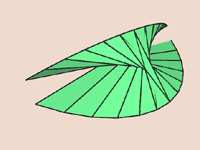
- If -r option is present, order of the second file is reversed. Use this option when the resulting surface join lines from opposite ends (often looking like a jagged butterfly).
- If -s option is used, the old (coverer version < 1.3) sequential method is used. Both paths are travelled through progressively. without -s option, the point providing the more compact triangle is chosen.
- if -l xxx option is used, lines longer than xxx are split in smaller segments. You may get smoother surfaces using this option. See examples below.
- -b xxx (-100 < xxx < 100): bias triangle spreading towards one end or the other. See examples below. Note: -b option only works with -s one. Most probably default option will provide better result than -s -b.
- Triangles are created between both paths, progressing proportionally along them. When degenerated triangles (reduced to a line) happen (for example when paths have common points), they are suppressed.
- A scan is done in the generated triangle. If two consecutive triangles are in the same plane and form a convex quad, they are condensed. If they are not in the same plane, a conditional line is added.
- Output file is created.
|
Coverer, LDraw sheet generator
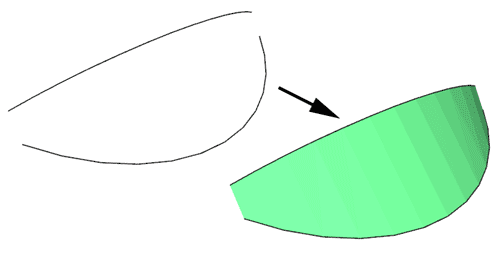
Coverer utility creates a sheet of triangle and quads between two sets of lines. Each set is provided to the utility as separate LDraw files. A third file containing the surface (and its conditional lines) is created.
It is a simple console application, source code is provided below to anyone willing to integrate it in a more palatable interface. You may also use Michael Heidemann LETGUI front-end (highly recommended!).
Download
Coverer package, including program for Windows and Linux, documentation, source files (Visual C++ 6.0), sample files.

Note: Linux version courtesy of Mufti.
Note: Macintosh
version (universal binary) courtesy of Jim DeVona
History
Usage
Here is a screen shot of a sample run:
How Coverer works
Examples
|
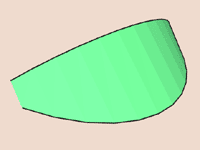
A nice looking surface between 2 arcs. Command line: Coverer arc1.dat arc2.dat arc-out.dat |
|
Here the order and direction of the lines of
the second file was inverted. Command line: Coverer -s arc1.dat arc2-r.dat arc-r-out.dat created that weird shape. The -r parameter corrects the order and returns the same surface as the first example. Without -s option, shape is a bit different - but still weird! Corrected command line: Coverer -r arc1.dat arc2-r.dat arc-rok-out.dat |
|
Fitting a square to a circle. Command line: Coverer sqc1.dat sqc2.dat sqc-out.dat |
|
Note that the relative orientation of the paths
matters, even if they are symmetrical. Here the
circle was turned by 45°, the result is twisted.
Note that without -s correct result is obtained
here, but if the circle had been rotated by a greater
angle, the result would have been distorted too.
For circular paths, you must ensure that the first
lines in each LDraw path file are matching. Command line: Coverer -s sqc1.dat sqc2-45.dat sqc-45-out.dat |
|
This example shows how to create twisted surfaces
such as the one in 43721
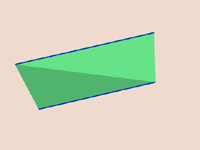
sloped wedge. Two single lines form the edges.
A simple application of coverer provides a chunky
result... Command line: Coverer wedge1.dat wedge2.dat wedge-out.dat |
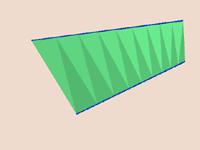
|
...the -l parameter improves the result: Command line: Coverer -l 10 wedge1.dat wedge2.dat wedge-l-out.dat |
|
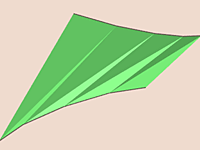
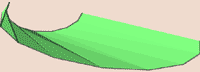
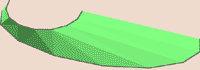
Here we see the use of -b parameter. Without -b, the triangle creation moves one segment at a time on top and bottom line. But because of the shape of the bottom line, horizontal distance travelled on bottom line varies little at the beginning. The generated surface looks twisted and creased. Files: b1.dat; b2.dat --> bias-0-out.dat Command line: Coverer -s b1.dat b2.dat bias-0-out.dat |
|
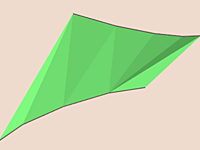
With a bias added (-b 4), we explore bottom line faster at the beginning to compensate. This results in a much smoother surface. Files: b1.dat; b2.dat --> bias-4-out.dat Command line: Coverer -s -b 4 b1.dat b2.dat bias-4-out.dat |
|
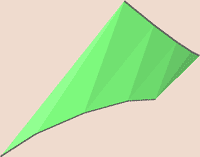
...but with the new algorithm, -b is useless and provides better results! Command line: Coverer b1.dat b2.dat noneedbias-out.dat |
|
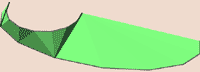
When most points of one path are closer to a few points of the other, and far away from others, the new algorithm may fail. Command line: Coverer el1.dat el2.dat elnosout.dat |
|
In that case -s provides better results... Command line: Coverer -s el1.dat el2.dat elsout.dat |
|
...improved again thanks to bias option. Command line: Coverer -s -b 1 el1.dat el2.dat elsb1out.dat |
|
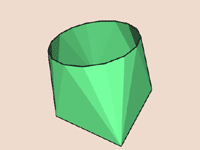
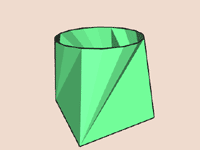
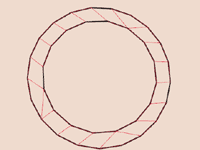
Adapter rings are probably the most useful application
of Coverer. They allow to join regular 16- or 48-primitives
to section of parts with different period. I used
this extensively in gears, wheels and tires, such
as 30391 tire that has a 16-primitives based core
but 40 bumps on its rim. Command line: Coverer cir16.dat cir21.dat adapt1621.dat |

|